· 4 min read
Letting a factory edit its own website: an inline CMS and a permissioned admin
Staff at CELE change headlines, photos and WhatsApp numbers directly on the live page, then the cache updates itself. Here is how the inline editor, the admin screens and the permission model fit together.
A website for a manufacturer has two kinds of content. Some of it is structured data: products, dealers, news. The rest is the words and pictures around it: a hero headline, a banner, the phone numbers on the buttons. The first kind fits a form. The second kind is awkward in a form, because nobody knows what "hero subtitle, field 3" looks like until they see it on the page.
So the CELE platform edits the second kind where it lives.
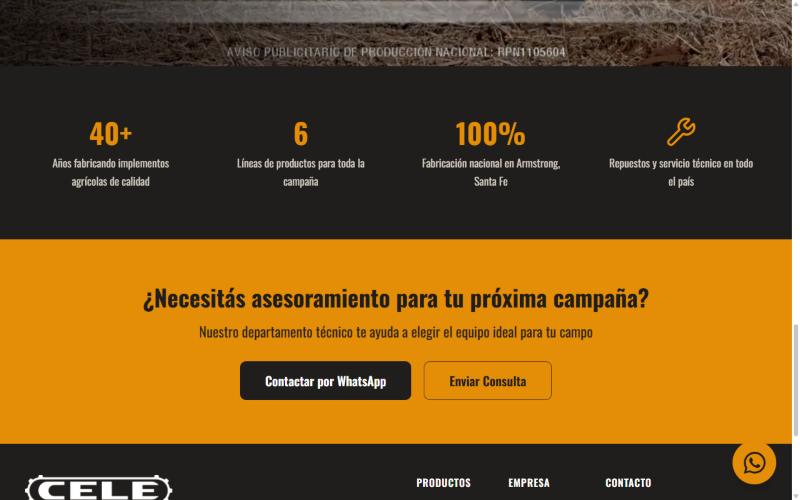
Edit on the page, not in a form
Any element on a public page can be marked with data-cms-* attributes. An admin with the contentManage permission opens the page with ?edit=1, and the marked fields light up. Click one, type, save. Images work the same way through named slots.
Underneath there are only two tables:
type PageContent = { id: string; page: string; fieldKey: string; value: string; updatedAt: Date };
type PageImage   = { id: string; page: string; slotKey: string; url: string; updatedAt: Date };
Saves are keyed by (page, fieldKey) or (page, slotKey). A single schema file, lib/cms-schema.ts, defines which pages, sections, field types and labels are editable, so the admin screens read that schema instead of hardcoding fields. Adding an editable field is one entry in the schema plus one attribute in the markup.
A save, end to end
Take the WhatsApp contacts, the most-changed piece of content on the site.
- The admin turns on edit mode and clicks the WhatsApp link in the footer.
- A dialog opens where they add or remove destinations, each one an area name and a number.
- Saving calls a Server Action,
saveContentField, which upsertsglobal.whatsapp_contactsinpage_content. - The action calls
updateTag("content:global"), which expires exactly the cached content that depends on that tag. - The editor calls
router.refresh(), and every button and the footer now show the new numbers.
The value is stored as one line per destination: an area, a pipe, an international number. A small parser normalizes the numbers, drops duplicates, and falls back to a default contact if nothing valid is left. The first contact becomes the site's general call to action. The point is that a typo in a phone field can never leave a button pointing at nothing.
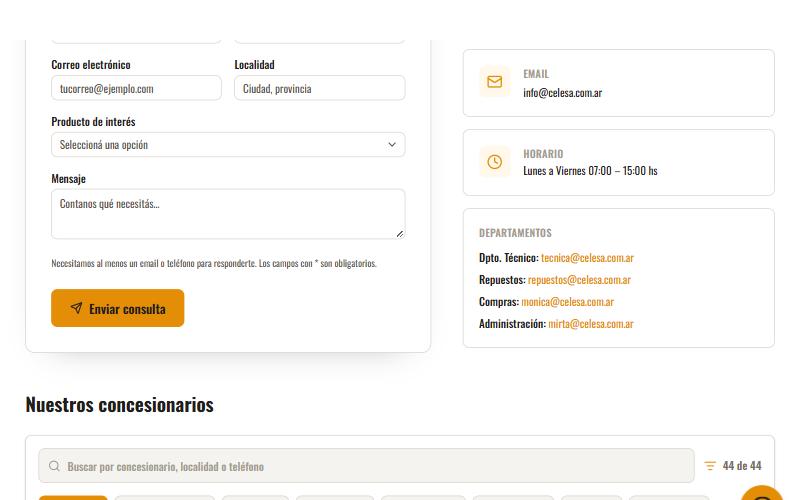
The admin around it
The inline editor handles the words on the page. Everything else has a proper screen under /admin:
- Dashboard: indicators at a glance.
- Inquiries and quotes: what visitors sent through
/contactoand the quote cart, with follow-up. - Products: CRUD with galleries, spec sheets, private manuals and an interactive technical review.
- News: posts built from structured blocks (text, images, video embeds) with a cover image and metadata.
- Dealers: the 44-entry directory, with map coordinates for the public map.
- Mailbox: an IMAP and SMTP client inside the admin, so the team reads company email without leaving it.
- Messages: the real-time inbox between staff and dealers.
- Users, roles and MFA, plus activity, errors and sessions: who can do what, and an audit trail of what they did.
Two decisions here are worth stealing.
Structured news instead of free HTML. News bodies are authored as blocks, and the one legacy field that still holds raw HTML is passed through an allowlist sanitizer before it reaches the public renderer. Only text, lists, links and images survive. Blocks are the only format staff can write, so the format stays predictable.
Bounded admin reads. Audit logs, errors, sessions, inquiries and quotes read 50 rows plus one lookahead row to know whether a next page exists. There is no count(*) on a table that grows every day, and session filters are applied in SQL before the limit and offset, not after.
Permissions are the product
The role model is small on purpose. Owner and admin can do everything. A dealer gets messaging and manuals. A client, someone who registered themselves to track quotes, gets nothing administrative. A self-registration endpoint only ever creates a client; it never reads a role from the request. Promoting anyone is a screen that needs its own permission.
Every Server Action and Route Handler checks requirePermission(...) itself. The proxy that redirects visitors is a courtesy that stops people landing on a page they cannot use, not the thing that protects it.
Flags for the risky parts
Three Vercel Flags control behavior that should be switchable without a deploy: enforcing the second MFA step, enabling the service worker, and enabling web push. Each has a declared fallback in code, so if the flag provider is unreachable the site behaves as it did before. The service-worker manager runs once per tab session, never calls skipWaiting() and never forces a reload, because an admin halfway through a form should not lose it to a background update.
The thread through all of it is that the people who run a factory should not need a developer to change a phone number, and a developer should not have to worry that they will break something when they do.